Xreveal 2.6.0 released
2024-05-16Changelog Version 2.6.0 2024-05-17 Added "My Discs" feature for Pro version Improved optimize UHD decryption speed Fixed crash when opening some Blu-ray discs with BDJ Some minor changes and improvements
We've made a lot of improvements to this release, took a week to refactor the BD/UHD/HD-DVD decryption code, to make them easy to maintain.
Although we have tested more than 100 BD/UHD, there may still be some issues, if you encounter issues when using it, welcome feedback to us, we will fix it as soon as possible.
Added "My Discs" feature for Pro version
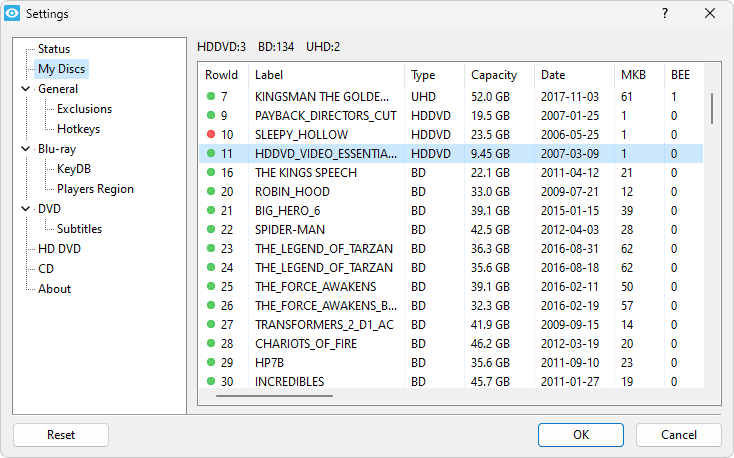
Xreveal automatically adds processed disc information to the "My Discs" database, which is stored in C:\ProgramData\Xreveal\keydb.db by default. The data recorded so far are:
- RowId
- Status
- Disc volume label
- Disc type
- Capacity in sectors (in 2048 bytes)
- Disc date
- Data added
- Disc ID
- MKB version
- Disc region
- Main playlist
- BD+ date
- VID (Volume ID)
- MK (Media Key)
- VUK (Volume Unique Key)
- UK (Unit Keys)
- BEE
- Has BDJ?
- Is Blu-ray 3D?
Some notes:
- The disc region and main playlist are reserved for future use
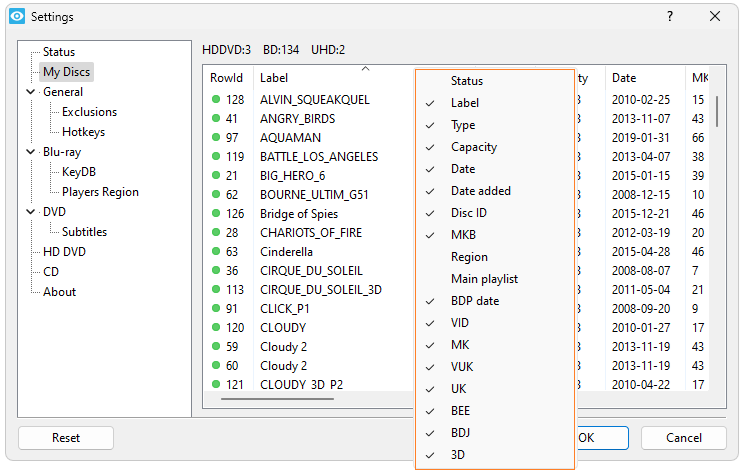
- Click on the header of any column to sort that column
- Right-click the column header to customize the data displayed.
- Once a RowId is assigned to a disc, it will not change unless you manually right-click to delete the record
- VID/MK/VUK/UK are encrypted by default
- Xreveal will prefer to use the keydb.db for decryption: keydb.db > keydb.cfg > AACS Auth > cloud decryption.
- todo: how to generate the Disc ID for DVD
Changed if there is a VUK in keydb.cfg then use the VUK first
Previous versions would use UK first. As there may be more than one UK, the chance of error is greater than with VUK.