Xreveal 2.9.1 released
2026-02-04Changelog Version 2.9.1 2026-02-04 Improved the ripper's destination directory Added automatically save the destination directory of the last rip as $(DestDir) Improved compress the xreveal.chm file size Fixed crash when submitting the metafile Fixed cannot choose UDF 1.02 format for Blu-ray #1016 Improved move pause/continue button in ripper dialog box to status bar Improved change the toolbar button size #1022 Fixed crash when opening discs Some minor improvements
Improved move pause/continue button in ripper dialog box to status bar
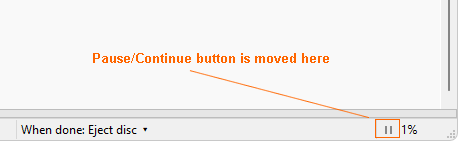
Improved change the toolbar button size #1022
The bitmap size hasn't changed. This requires writing code to scale a 32-bit bitmap, which will be implemented later.
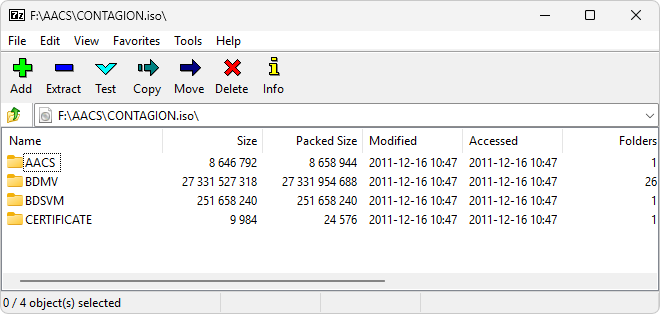
7-Zip cannot open Blu-ray movie ISO file
A user asked a question about 7-Zip being unable to directly open ISO files generated by Xreveal: https://xreveal.com/rip2iso.html#comments
I can't open the by Xreveal created BDs and UHDs .ISO files with 7-Zip, but I CAN open them with WinRAR. So Xreveal has in this case the same behaviour as AnyDVD... However, .ISO files from DVDs can be opened in 7zip without any problems. When I use ImgBurn by an Action-script to create the .ISOs , the resulting files can be opened in 7-Zip.
We had created a ticket with the source code patch at: https://sourceforge.net/p/sevenzip/bugs/2620/
Before 7-Zip releases a new version, if you are using 7-Zip 25.01 (x64), you can download https://www.mediafire.com/file/vfnrgwrpmiepmt0/7z.dll/file , replace the file in C:\Program Files\7-Zip\ , then 7-Zip should be able to open BD ISOs.
[Update] 7-Zip 26.00 (2026-02-12) include the patch, and can open Blu-ray movie ISOs.